

Table of Contents
Snake II… But Make It Multiplayer?
Ten years ago, I built a replica of the classic Nokia Snake II game using Unity, for both Android and iOS.
📲 Download it on Google Play
🍎 Download it on the App Store
People really liked the game overall. It was downloaded by over two million people around the world, and I made a few thousand euros off it—even though I had coded it at night, after college, while smoking €3-a-gram hash.
These days, my body’s a temple. And after a decade of gaining experience as a software developer, I’ve rebuilt the game’s core gameplay, revamped the UI, and—most importantly—added cross-platform multiplayer between Android and iOS so you can play Snake II with your friends.
I’m Carlos Sala, a software developer, and I’m going to walk you through the steps I followed to add multiplayer to a game that wasn’t originally designed for it. Don’t worry—I’ll keep the boring programming stuff to a minimum.
Let’s dive in!
Designing the Multiplayer Mode for Snake II
Before jumping into the code, it’s important to get clear on what we’re trying to build.
In this case, we want to create a multiplayer mode for Snake II. So let’s think about what needs to be added, removed, or changed from the original single-player version.
Single-Player Requirements
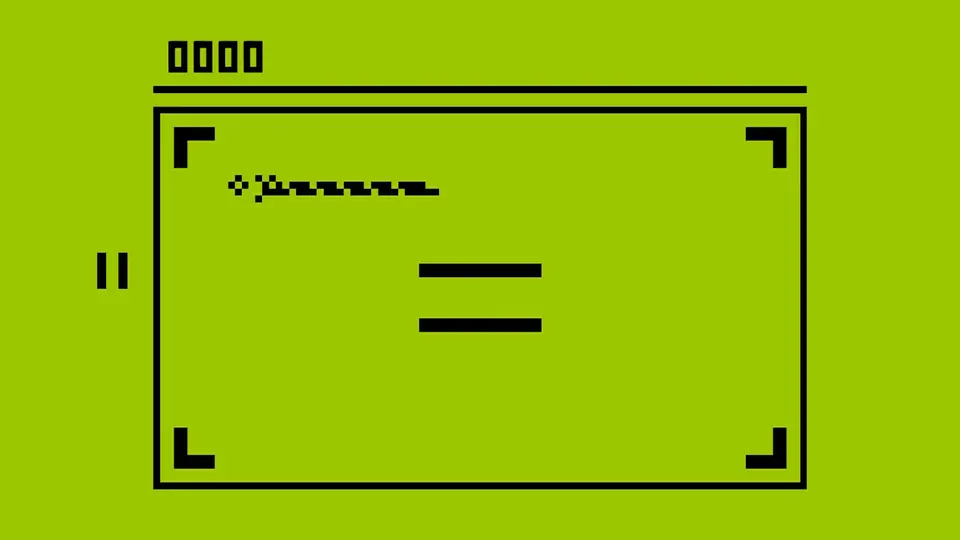
In case you’ve never played it, here’s how the original game works:
- The player picks a speed and a maze layout from the options menu.
- Once the game starts, a snake appears and begins moving at the selected speed, with the chosen maze (if any) on screen.
- In the top-left corner, you’ll see the player’s score—it increases as you collect points or animals with the snake.
- After collecting five points, an animal appears. It gives a higher score when caught, but you have to catch it before time runs out and it disappears. A countdown timer for the animal shows up in the top-right corner.
- When the snake crashes into its own body or the maze, a short animation plays, the match ends, and the game loads the score screen—where you can check your stats, replay, see your ranking, share your score, or return to the main menu.
Multiplayer Requirements
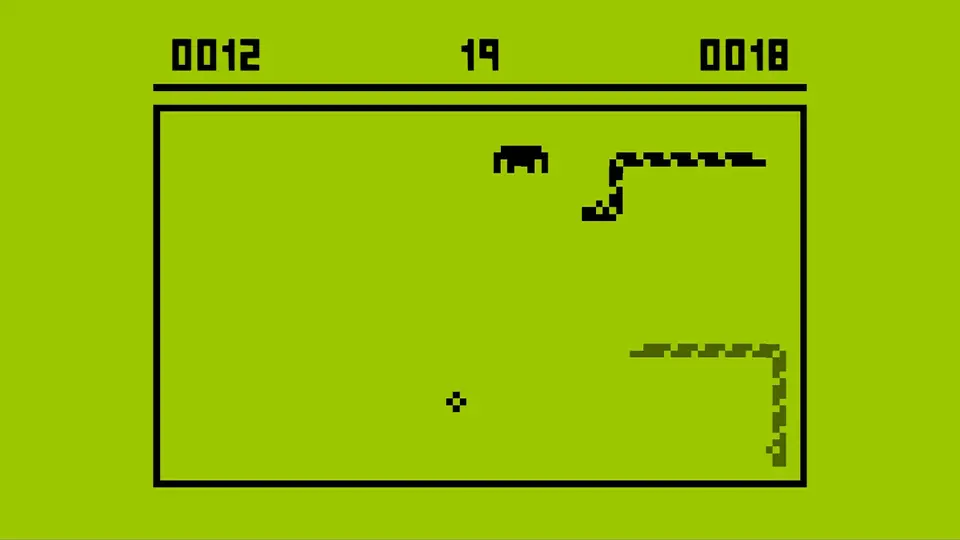
That’s the original design. To turn it into a multiplayer game, here are the changes I came up with:
- Now there are two players—one will create the game room, and the other will join using a room code.
- Since each player has their own speed and maze settings, the host will choose the options before each match begins.
- When the match starts, instead of one snake, there will be two. To tell them apart without adding extra colors, the opponent’s snake will appear semi-transparent.
- Both snakes will move at the speed selected by the host, and the maze layout will match as well.
- Your score will show in the top-left corner, and your opponent’s score will appear in the top-right.
- When animals appear, the countdown timer will now be centered at the top—right between the two scores—since the top-right corner is now taken by your opponent’s score.
- The multiplayer match also ends when either snake crashes into a snake or the maze. Only the snake that crashes will show the game over animation—that player is the one who loses.
- The final screen will show either “You Win” or “You Lose” instead of just “Game Over”, depending on whether you won or lost. You’ll also see both players’ scores, along with buttons to play again or go back to the main menu.
With this list of requirements, we now have a clear picture of what we’re aiming for. So now it’s time to dive back into the Snake II code I wrote ten years ago—back when I was just getting started with programming.
From Single Player to Multiplayer
The main difference between a single-player game and a multiplayer one is the introduction of a server to coordinate the state of the match across multiple devices.
You can program your game server in whatever language you prefer, but I’ll be using JavaScript with the Colyseus framework. It’s a fantastic library for multiplayer games with Unity support. I highly recommend checking it out if you’re interested in making a multiplayer game.
Here’s roughly what should happen during a multiplayer Snake match:
- Players send their direction inputs to the server.
- The server updates the game state based on those inputs.
- On the next game tick, the server calculates movement and collisions, then sends the new state back to the clients so players’ screens reflect the current game state.
When I opened up the old code I wrote ten years ago, I realized I’d have to rewrite pretty much the entire game to get multiplayer working.
The Code Was Too Tightly Coupled
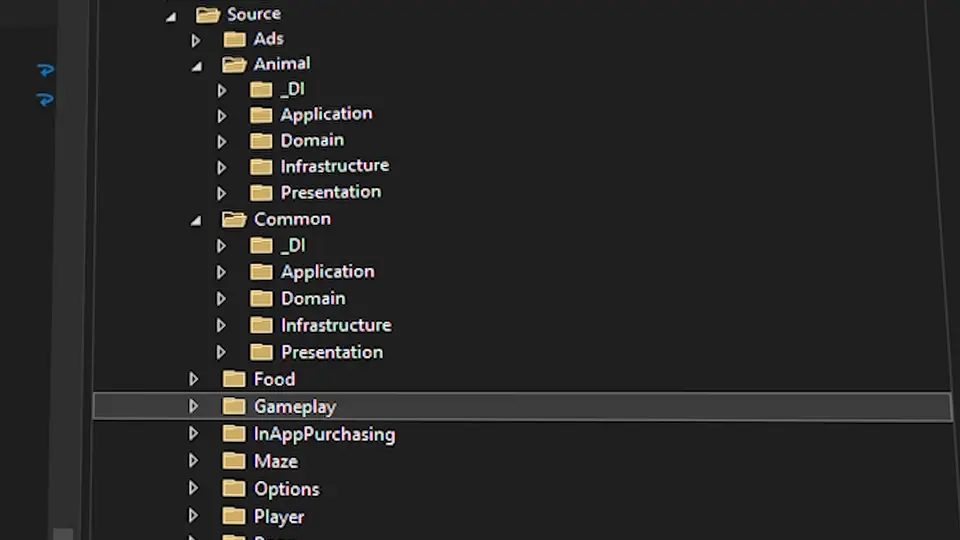
The first big issue was that all the game logic lived in a single file called GameSceneManager—917 lines of code—completely tied to Unity and the single-player implementation.
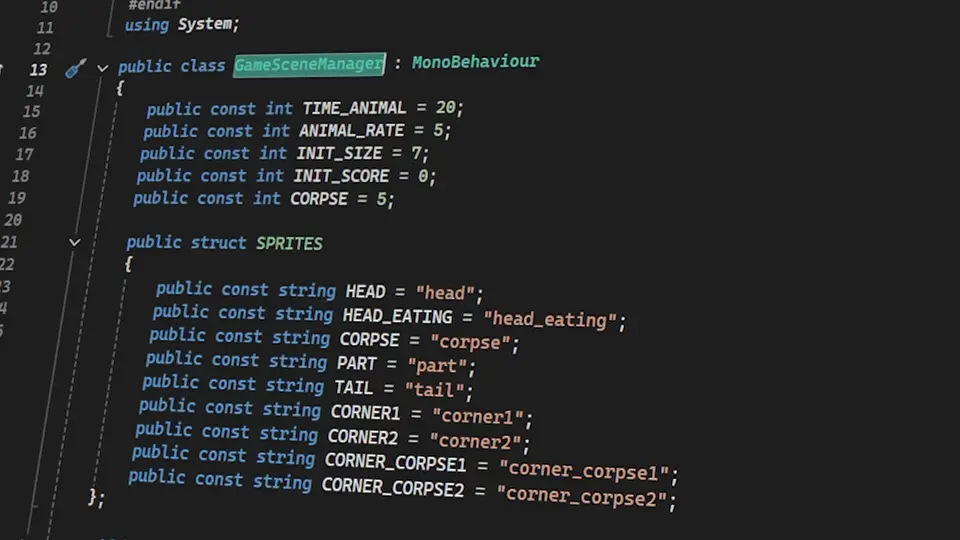
And besides adding multiplayer, I also needed to keep the single-player mode intact. So I had three options:
- Fill
GameSceneManagerwith conditionals depending on the game mode. - Duplicate the file as
SingleGameSceneManagerandMultiGameSceneManagerand use one or the other depending on the mode. - The right solution: split the file into different systems, write interfaces to describe the behavior of those systems, and implement each one separately for single-player and multiplayer.
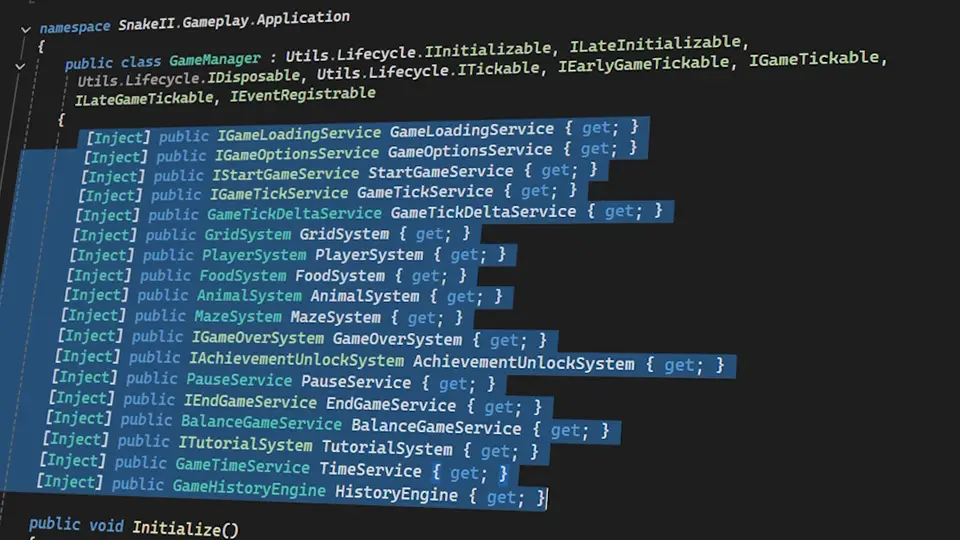
With that setup, when the player moves the snake, it will either move directly (in single-player) or send the input to the server for processing (in multiplayer).
One clean way to connect interfaces to their implementations is through a dependency injection system. Unity has several options for this, but I’m using Zenject, which I’ve used the most.
To decouple the game logic from Unity, so that we can reuse the same logic on the server, we need to follow a clean architecture—splitting the code into layers based on responsibility.
I won’t go deep into clean architecture here—every developer implements it slightly differently anyway—but in short, we’re isolating the game loop (which we’ll simulate on the server) from Unity-specific details like GameObjects, scenes, and UI.
After a few weeks of glorious suffering, the game was finally broken down into layers, following a clean architecture: gameplay split into systems, systems split into subsystems, and each subsystem defined by an interface with two implementations—one for local play, and one for multiplayer.
The Game Uses Unity’s Physics Engine
There was another big problem to solve before we could simulate matches on the server: Unity’s physics engine doesn’t work outside of Unity.
Since this game wasn’t originally designed for multiplayer, the simplest way to implement movement and collisions back then was by using Unity’s built-in physics—Rigidbody and Collider components.
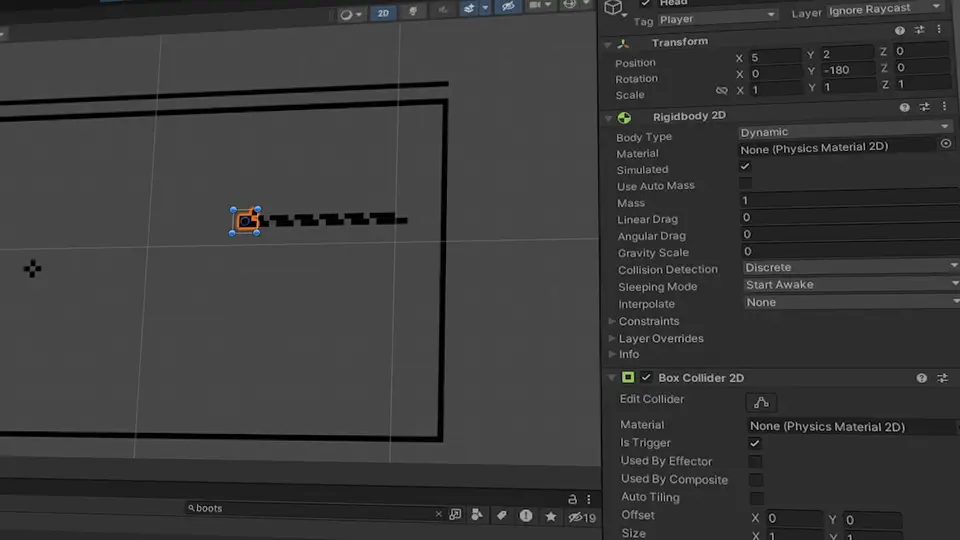
But for multiplayer to work, all movement and collision logic has to happen on the server. So we need to create a discrete system for movement and collisions that can run both in Unity and on the JavaScript server.
Thankfully, this isn’t a complex physics simulation. A basic grid system, where we track which cells are occupied, is enough to determine whether a player should earn a point or hit an obstacle on their next move.
Game State Is Fragile
The third and final change I had to make was to turn the game state into a chronological event log. Let me explain what that means.
Communication between the client and the server happens via WebSocket, using minimal messages.
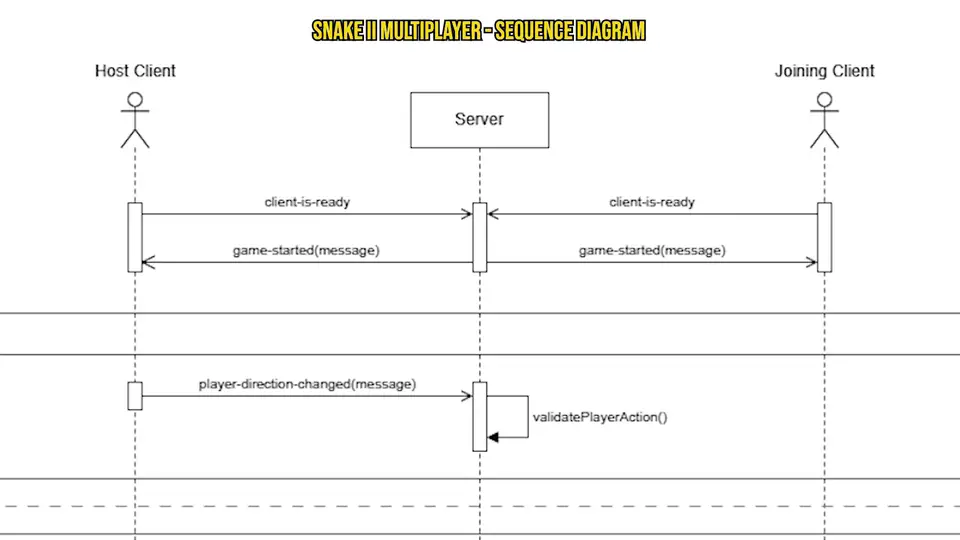
In this game, the only messages players send to the server are direction changes from their controls. But the server needs to broadcast a variety of game state updates to players, such as:
- The updated player positions on each tick
- Whether a player picked up a point and what their score is
- The position and remaining time of points and animals
- Whether one or both players crashed
Each of these changes to the game state is called a delta, and each one comes with a timestamp or index so it can be ordered chronologically.
namespace SnakeII.Gameplay.Domain
{
    public abstract class GameStateDeltaEntity
    {
        public int timestamp;
        public int index;
        public GameStateDeltaType type;

        public GameStateDeltaEntity()
        {
            this.timestamp = 0;
            this.index = 0;
            this.type = GameStateDeltaType.Unknown;
        }
    }
}With an initial snapshot and a list of deltas, we can reconstruct the game state at any moment. That’s how some multiplayer games like Brawl Stars are able to replay matches—by applying events in the exact order and time they happened.
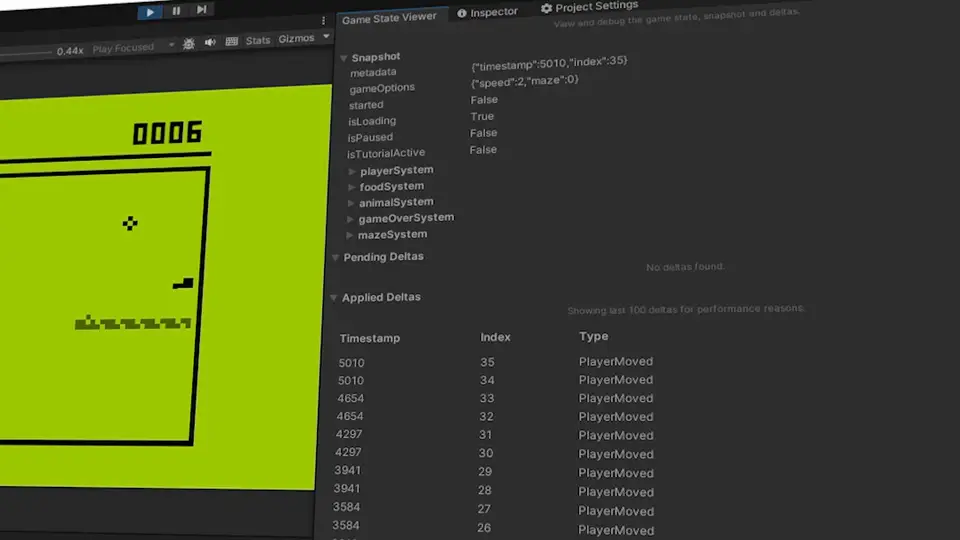
We’ll call this system the GameHistoryEngine, and I’m also building a simple Unity Editor window to help track events during a match—just in case we need to debug something.
Each system in the game now emits events to the GameHistoryEngine instead of directly mutating the game state, and we write handlers that apply those events to the state.
It works like a Swiss watch.
This kind of event engine would be total overkill for a single-player game—but for multiplayer, it’s perfect. And it’ll help keep the code symmetrical between the client and the server.
The New Game Menus
We’ve refactored the entire game code—like we were putting it on display in a museum—and turned the gameplay into an event-driven engine that works both locally and with external events from the server.
Now all that’s left is to extend the game menu so players can create or join a match using a room code.
When the app launches, the player sees the start screen, followed by the main menu—which, honestly, isn’t very useful today, but that’s how it worked in the original game—and then a second menu layer with gameplay-related options.
This second menu is where we’ll add the “Multiplayer” button, right below “New Game.”
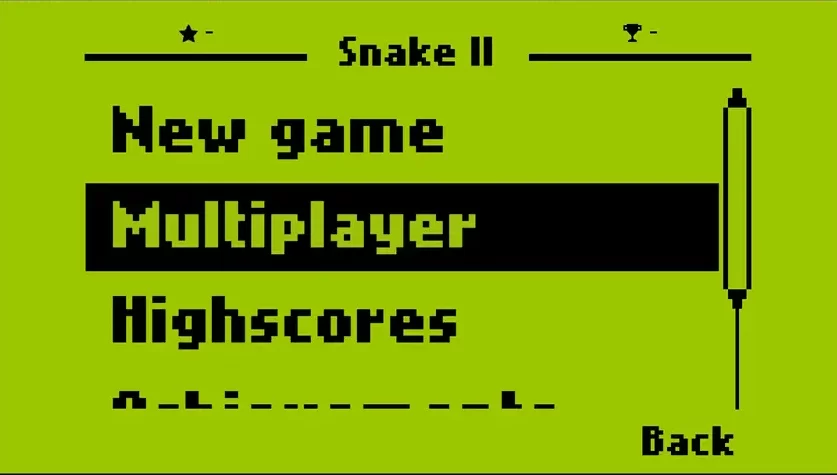
Multiplayer Menu
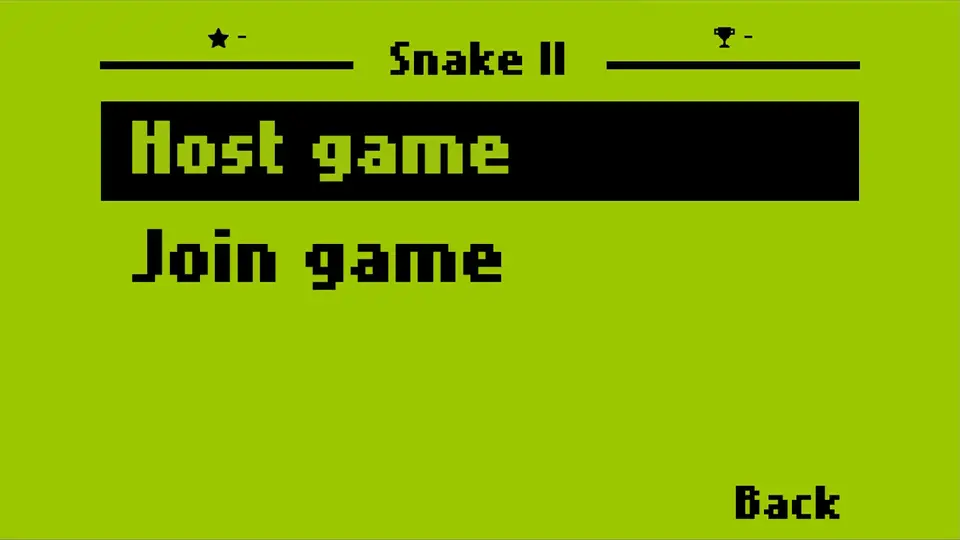
The multiplayer menu is super simple—it only has two options:
- Host Game to create a match
- Join Game to join one
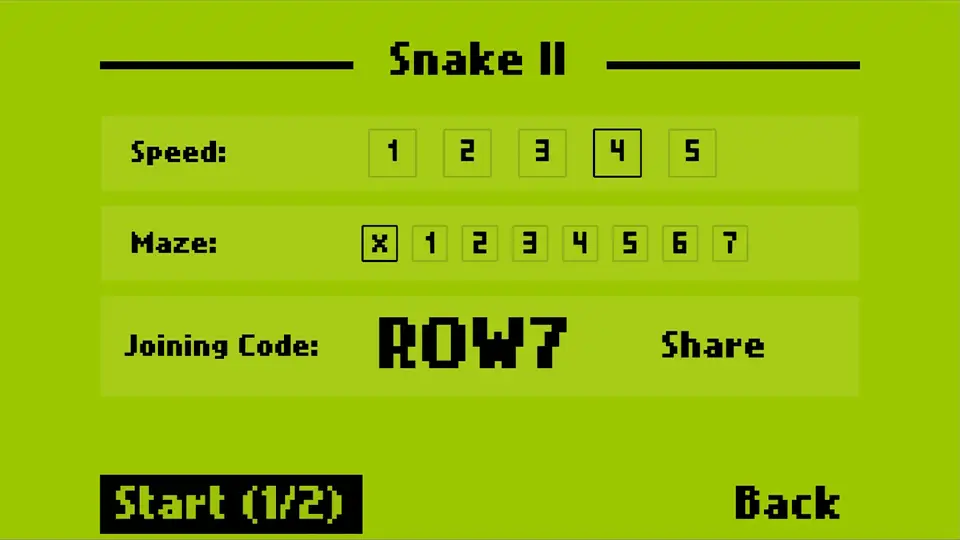
When you go into Host Game, you’ll choose the snake speed and maze layout, then tap Host to create a match and get a room code you can send to a friend to invite them.
The host can also change the game settings anytime before the match starts.
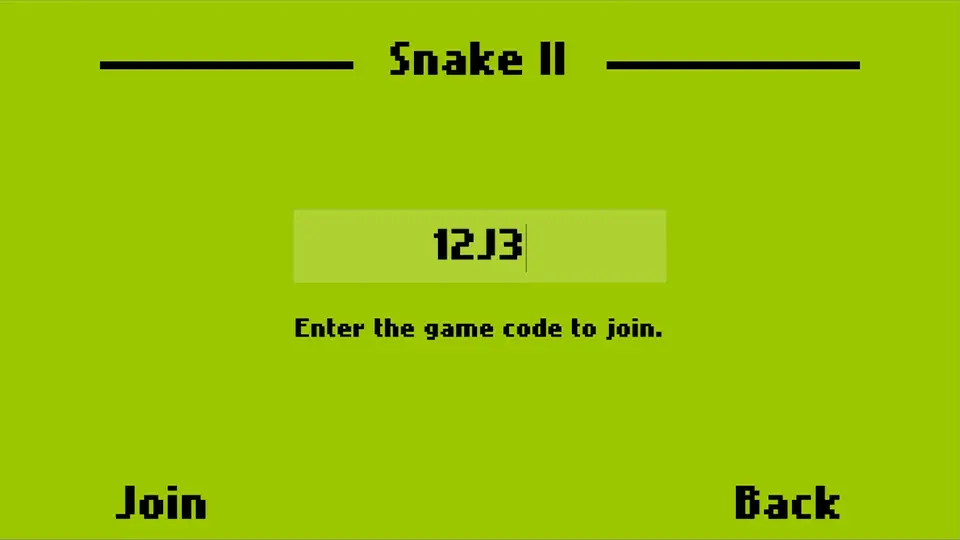
On the flip side, if you go into Join Game, you’ll see a text field where you can enter the code your friend sent you. Once you hit Join, you’ll enter the match and see the selected speed and maze—but you won’t be able to change them, since you didn’t create the room.
To start the game, the host taps the Start button once the other player has joined.
A simple but functional interface—more than enough for a game like this.
Approved by nine out of ten dentists.
Implementing the Game Server
The Unity app is ready. Now it’s time to build the server.
One uncomfortable truth about multiplayer games is that you basically have to build the game twice: once on the client, and again on the server. So the more you keep that in mind while coding the client, the easier it’ll be to move the game loop over to the server later.
We create a new repository for the server code and install the dependencies we’ll need. In our case, we’re building the server in TypeScript using the Colyseus library, as mentioned earlier.
We make the first commit and put on some high-speed coding music.
Having to rewrite the entire gameplay logic—in another language, no less—would be a nightmare if it weren’t for the beautiful clean architecture we set up in Unity. Thanks to it, we can move over the domain and application layers from the client to the server without breaking a sweat.
Of course, we still have to translate the code from C# to TypeScript—but that’s a task I basically let ChatGPT handle for me.
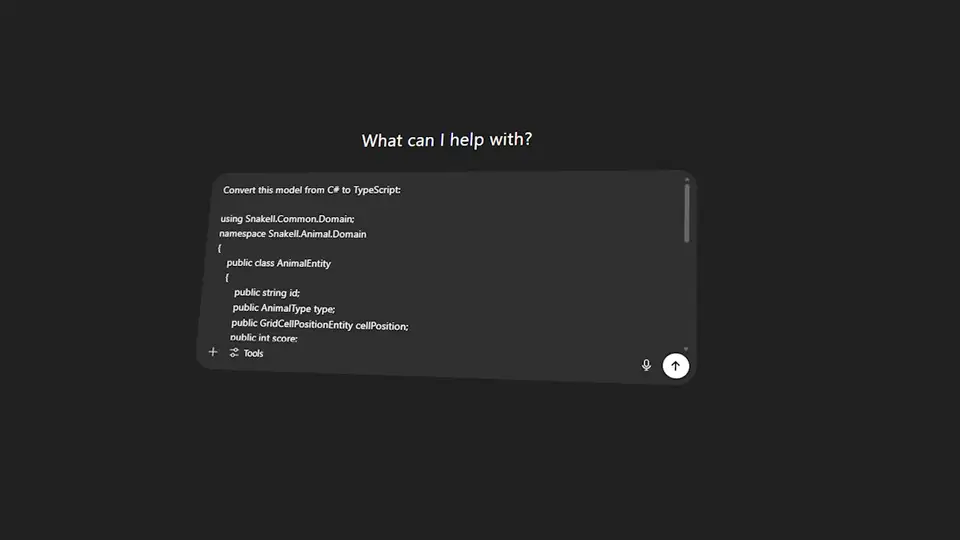
Even though I tried to plan ahead, I didn’t account for the fact that JavaScript doesn’t have Zenject to handle dependency injection between classes and interfaces. So I had to adapt that part of the code using one of the most well-known DI libraries in JavaScript: Inversify.
If I had to start over, I’d probably just use C# on the server too—that way, the code would be even more symmetrical between both sides.
Game Room Management with Colyseus
The last step is exploring Colyseus to hook our game simulation into the rooms players create from the client.
Honestly, I’ve got nothing but good things to say about Colyseus and its developer, Endel Dreyer—the library has excellent documentation and an active community that makes the development experience top-notch. It’s a mature, reliable product.
Thanks to Colyseus, in just a few hours I was able to:
- Set up game rooms that receive the speed and maze layout sent by the host.
- Handle all the different messages exchanged between the client and server—like when a player joins or leaves a room, changes game options, requests to start a match, and a few others.
- Customize the room ID to make it shorter and easier to share—just 4 uppercase letters or digits is plenty.
- Deploy the server to production using Colyseus Cloud, their auto-scaling hosting platform. It’s incredible—you can get the server up and running in five minutes and check logs easily when something breaks. All for just $15 a month.
Testing the Multiplayer Mode
The moment of truth has arrived.
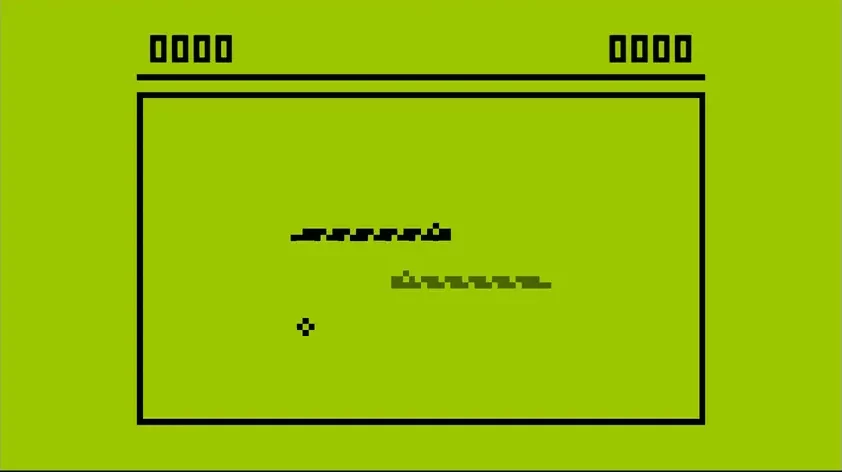
The Unity app is ready, and the server is live in production.
- Was all this effort worth it?
- Will it actually be fun to have two snakes on the same screen?
- Will technical issues pop up?
- Am I a genius… or just insane?
Let’s test the game and find out.
Since players will be able to play Android vs. iOS, we’re going to build the app for both platforms and test it on real devices. There shouldn’t be any differences—Unity handles the code conversion behind the scenes. But in the wonderful world of software development, anything is possible.
We’ll set up a test plan with the following checklist:
- One player can host a game and another can join.
- A full match can be played and ends normally.
- Players can replay matches.
- One of the players leaves the room before, during, or after the match.
One Player Hosts a Game, Another Joins
This is the most basic test: one player acts as host, the other joins the game.
On the first device, we choose the game options and create a room to get the code we’ll share.
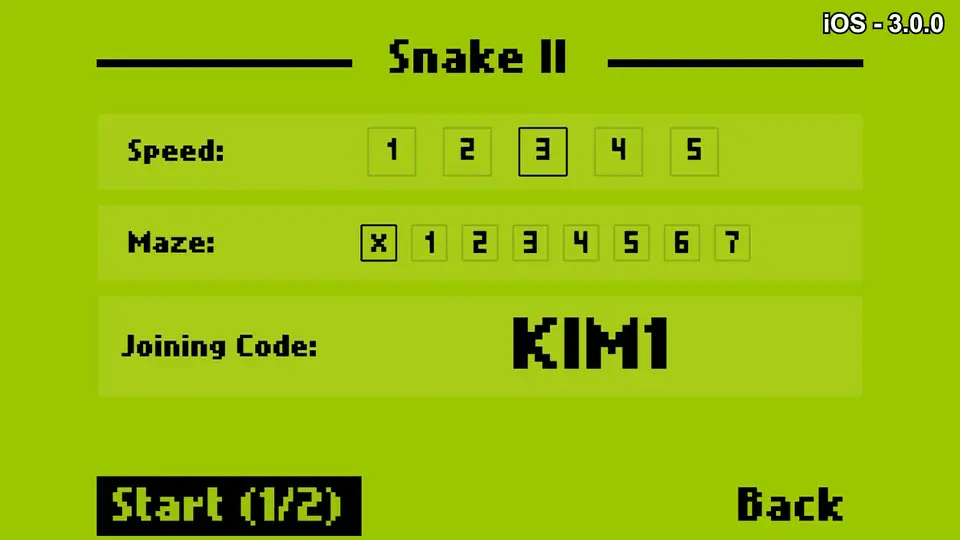
And here’s our first issue: with the current setup, we have to memorize the code, exit the app, and paste it into a messaging app like WhatsApp to send it. That’s way too clunky for the player.
To fix it, we added a native share button so players can send the code through any app on their phone with just one tap.
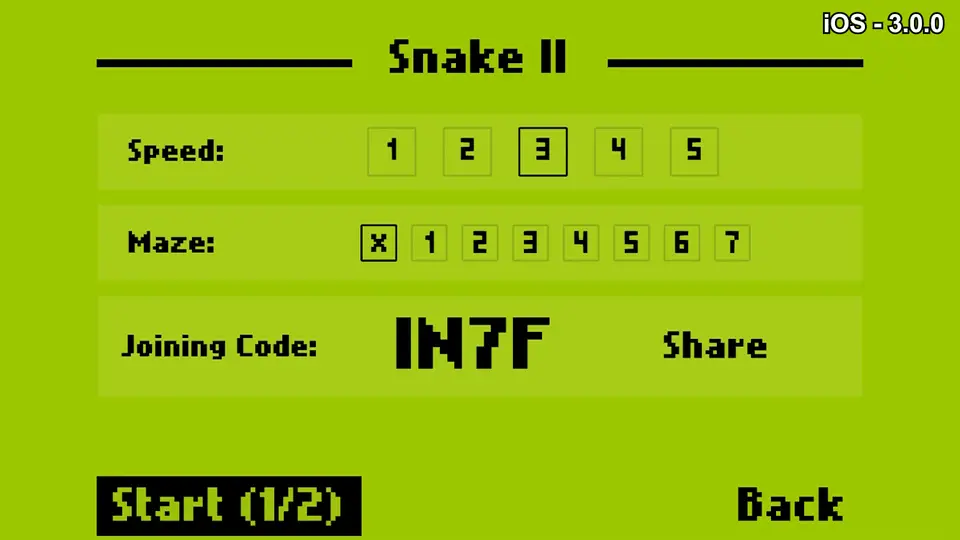
Now everything works as expected: we create a room with our chosen settings, send the code to the other player, and they join using it from the second device.
We’re in.
The Match Plays and Ends Normally
Both players are now in the same match—but now comes the trickiest part: the actual gameplay.
In multiplayer mode, player actions and game events are handled by the server and transmitted over the network using the WebSocket protocol. That opens the door to latency issues, lost messages when connections drop, and other unexpected scenarios that could ruin the experience.
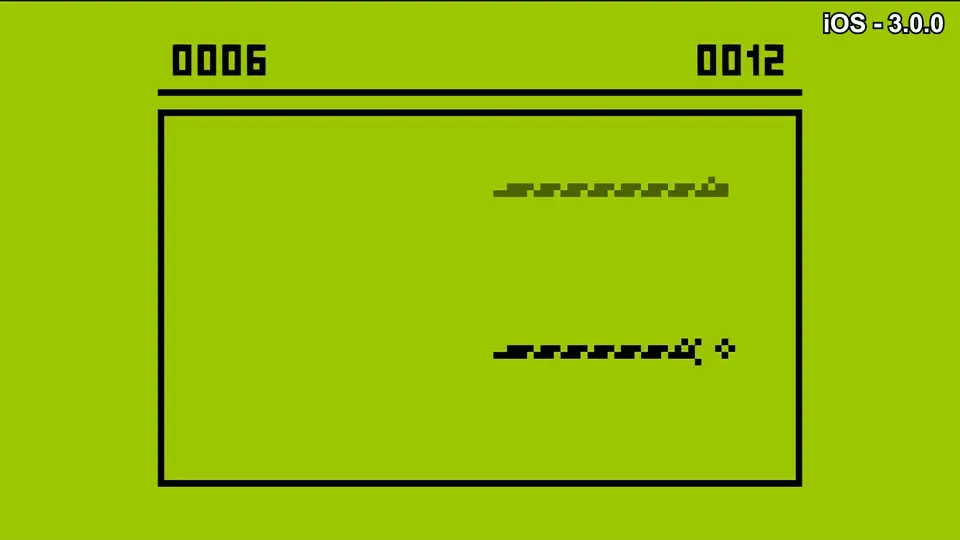
We start the game from the host’s device and, surprisingly, everything runs smoothly. After several rounds at different speeds, I didn’t run into a single issue.
When one of the players crashes into an obstacle, the game ends and both are sent to the score screen.
Case two—success. The hardest part is behind us.
Players Can Replay Matches
From the score screen, after a match ends, players can tap the replay arrow to start another match with the same settings.
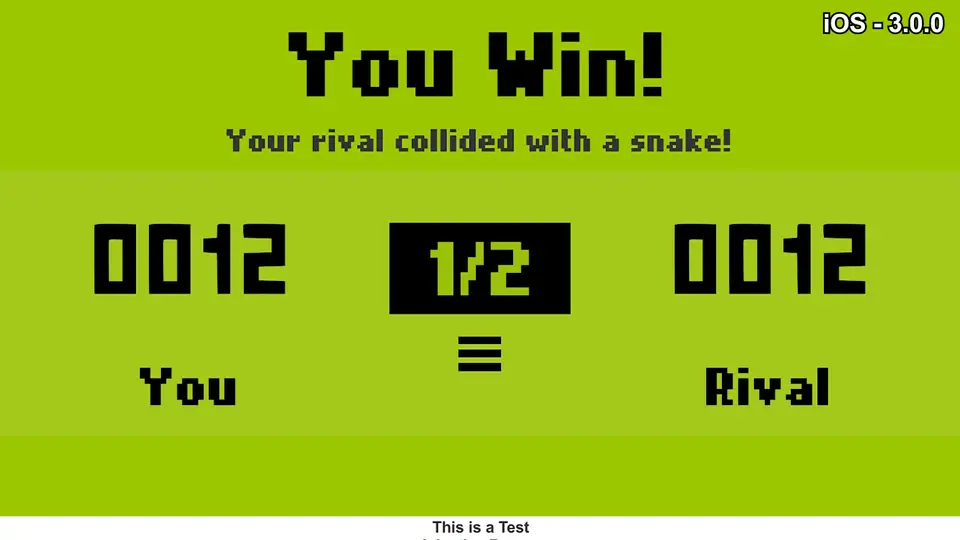
We test it on both devices and… we forgot to reset the room state on the server. So when the next match starts, both players see the game exactly as it ended last time.
The fix is simple: reset the room to its initial state right before each match starts—whether it’s the first or the tenth.
We deploy the server update, test it again, and now we can replay as many times as we want. Nice.
One Player Leaves the Room
In a perfect world where users never do weird things, our game would already be finished and ready for the app stores.
But in the real world, players can leave the room at any moment—before, during, or after a match. That might happen if they press the menu button, lose their internet connection, or close the app.
So, what’s our policy for handling those situations?
How will we notify the remaining player?
I’ve never been a huge fan of diagrams—but while developing this new mode for Snake II, I discovered just how useful they are for visualizing complex systems that are hard to keep in your head.
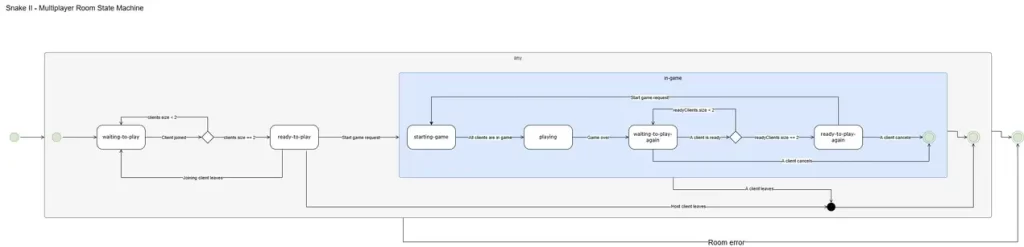
Using a state machine for the game room, we can clearly define what should happen when a player leaves, based on whether they were the host or a guest:
- If the host leaves at any point, the room is shut down and both players are returned to the menu.
- If a guest leaves before the match begins, the room returns to the “waiting for player” state until someone else joins.
- Once the match has started, if either player leaves, the match ends and both are sent back to the menu.
Additionally, every time a match ends because someone left, a screen will appear to let the remaining player know what happened.
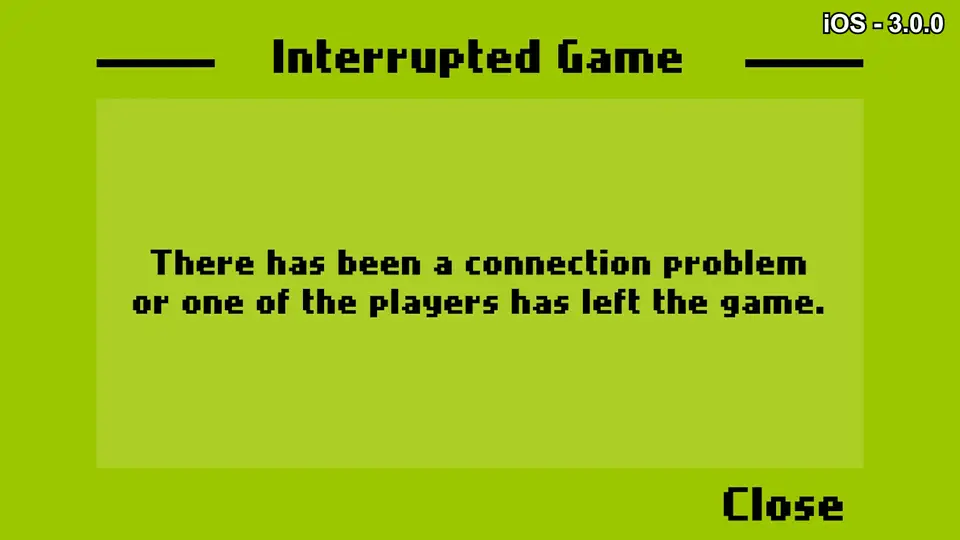
Bulletproof multiplayer room system: complete.
Final Touches
We’ve completed the main mission for this Snake II update—adding multiplayer mode—but since we’ve already opened the floodgates, let’s take this chance to polish up a few other areas of the game.
Improving the User Interface
First off, we’re going to clean up the menu UI.
The interface I made ten years ago didn’t scale well on all phones and tablets. So we tweaked it to make sure it looks good across every screen size.
Also, the buttons were actually images—two per button: one for the normal state and one for when it’s pressed. We’ve replaced those with a font similar to the one used on Nokia 3310s (bless them) and removed all those unnecessary images.
Adding In-App Purchases
Last but not least, I wanted to add a small in-app purchase: the ability to remove ads after each match.
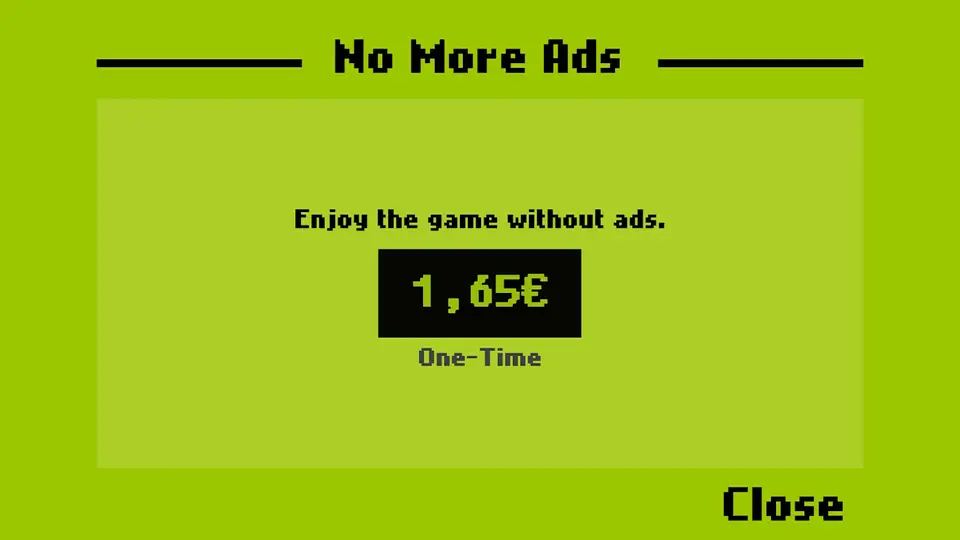
The game server is only going to cost me $15/month, but lately the app hasn’t even been making $10—so it would be nice to at least break even.
We install Unity’s in-app purchasing service from the editor, set up the product at a reasonable price for both app stores, and prepare a screen to offer it to users—say, once every three matches.
Quick and painless—players can remove ads forever for less than $2.
Publishing to Google Play and the App Store
Snake II version 3.0.0 is ready.
So we build the app for Android and iOS and upload a new version to the app stores.
Since we updated the game UI and added a new feature—multiplayer mode—we also updated the store screenshots to show the latest version.
We submit it for review and, a few days later… we’re live! The new version is available for everyone.
📲 Download it on Google Play
🍎 Download it on the App Store
Play Snake II With Your Friends
With this Snake II update—a game that means a lot to me—I’m closing a chapter of my life.
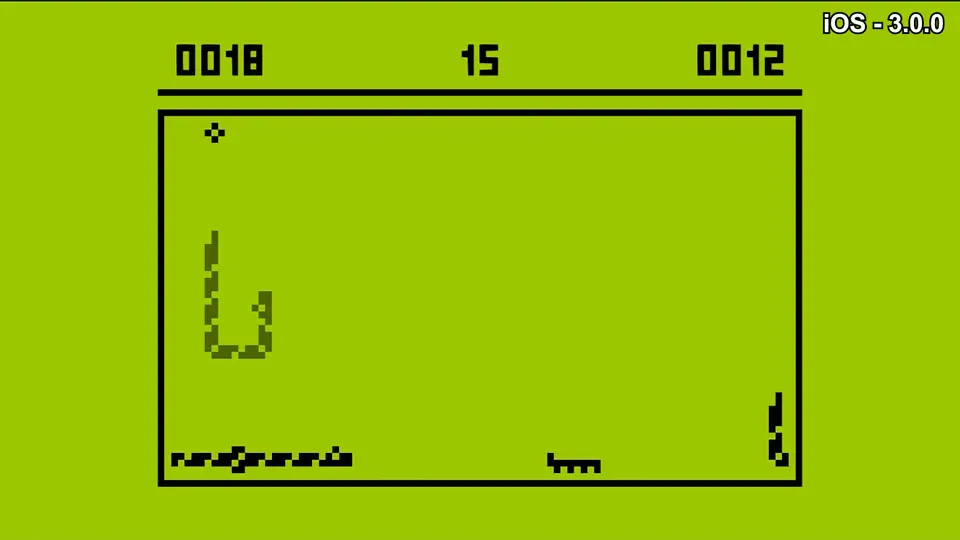
For years I wanted to add multiplayer mode, but for one reason or another—lack of technical knowledge… or partying a little too much—it took me ten years to make it happen the way it deserved.
Try it out with your friends and let me know what you think. If you’d like to support the project, remember you can remove ads for a small price right inside the app.
I don’t know if you enjoy this kind of content, so let me know—I’d love to work on more dev projects like this if there’s interest. Personally, I learned a lot and had a great time building it.
